
Key takeaways
- The line between proactive and reactive IT is whether you hear about a problem from a monitoring alert at 6:40 in the morning, or from a provider who can’t pull up an image at 8 with a patient in the chair.
- Real monitoring is a person, not a dashboard. Anyone can make an alarm sound. The service is having someone awake to answer it at 3 a.m.
- Proactive IT screens trouble out before it reaches you: a bad software update caught before it bricks a machine, a stalled service restarted before the doors open.
- IT has gotten too broad for one generalist, the same way medicine did. You want specialists on the parts that matter.
- The fix isn’t the finish line. Asking why it broke, and making sure it doesn’t again, is what separates a partner from a number you call when something’s on fire.
There’s a backwards way to judge your IT, and it might be the truest one I know. Judge it by how often you have to think about it. If you think about it all day, something is wrong.
The version you want is the one you forget you’re paying for, because the thing that would have been your problem got handled before it ever reached you. Let me walk you through one ordinary morning, because the whole idea fits inside it.
The two versions of one morning
Start with the hard version, because in healthcare the risk always comes first. It’s 6:40 in the morning. The interface that feeds imaging into your system quietly drops, and the data stops flowing.
In a reactive shop, here’s how that story ends: a provider walks in at 8, goes to pull up an X-ray with a patient sitting right there, and it isn’t loading. Now it’s an emergency, and it’s their emergency. That is the whole experience of reactive IT. You are the alert.
Here’s the other version of the same morning. The monitoring catches the drop inside a minute and opens a critical ticket. It triages itself, pulling up similar past issues so the technician starts a few steps in instead of from a blank screen, and it routes to whoever’s free to work it. The technician looks, and it’s not the dramatic thing. The connection is fine. The server is up.
It’s the service that keeps the data flowing that stopped. So they restart it, and the data is moving again before the clinic opens at 7. The provider walks in, pulls up the image, sees the patient. Nothing happened, as far as anyone at the practice will ever know.
Monitoring is a person, not a dashboard
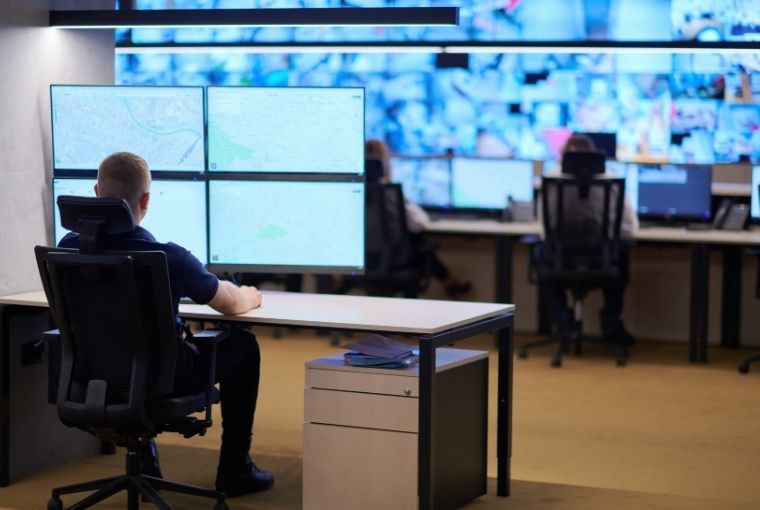
Notice what made the difference, because it wasn’t a smarter alarm. Plenty of what gets sold as monitoring is a tool firing alerts into a room nobody’s in. That’s not monitoring, that’s a smoke detector chirping in an empty house. What caught this is a staffed team watching around the clock, eyes on glass, so that when an internet line goes down at one of your locations at 3 in the morning, a person responds.
Someone calls the provider, gets the internet company on the phone, and makes sure the practice is up before it opens, instead of an alert sitting unread until business hours. The tools are table stakes. The people awake behind them are the service you’re buying.
And the coverage is wider than most people assume. If it has a plug, we’ve got eyes on it: the interfaces carrying data in and out, the servers behind an on-premise EHR, the network gear, the workstations. For a single office that’s nice. For a group running several locations, or several different systems at once, it’s the difference between one bad morning and a slow pile-up of them, because there’s simply more that can break and, in a reactive setup, nobody watching all of it together.
Specialists, because IT got as broad as medicine
Here’s a comparison that tends to land with clinicians. IT has gotten too broad these days for one generalist to do well, the same way medicine did. You wouldn’t want your family doctor doing your spine surgery, not because they’re not smart, but because the field is too deep now for one person to be excellent at all of it.
So you staff specialists: people who live in server infrastructure, people who live in connectivity, people who live in security, and you point the right one at the right problem. Reactive IT usually means one stretched generalist doing their best across everything. Proactive means depth where depth matters.
Don’t be the beta tester

Everybody does patching. Windows updates come down, you apply them, you reboot, you move on. That part is table stakes. But here’s the part I like. Sometimes a vendor ships an update that just doesn’t work and bricks the machine. You’ve heard of the blue screen of death. So before an update reaches your machines, we use AI to read the chatter across the industry about that patch, is it good, is it going to take people down, and block the risky ones before they ever get to you.
We don’t want you to be the beta tester. And if something slips through on a weekend, we can roll it back remotely across every device it touched. That is proactive in one sentence: you screen the trouble out before it becomes the practice’s problem.
Planning for the day the internet is out
Here’s one that gets overlooked in a lot of practices. What happens when the internet is down but the lights are on and patients are still walking through the door? You still need to know who’s coming, who they’re seeing, and why. One simple, proactive fix: a patient schedule that prints automatically every day, an actual paper copy, so if the connection drops you can still see who’s on the schedule and keep seeing patients.
It’s not glamorous. It’s the kind of thing you only think of if you’ve been in a clinic on a bad day, which is exactly the point. The same instinct runs through how we handle backups, geo-redundant by default, so we’re not backing up to the room next door but halfway across the country, for the day a whole location goes down.
Closing the loop
Then there’s the part almost nobody sees, and it’s the part I’d tell you to ask about. Once the thing is running again, the honest move is to go find out why it broke. Do the root-cause work, write it down, and put it in front of your leadership at the next review so it’s on the record and less likely to come back. Reactive IT closes the ticket and waits for the next fire. Proactive IT closes the loop so there’s one less fire to fight.
None of this is glamorous. There’s no dashboard screenshot that makes “we restarted a service at 6:52 and you never noticed” look exciting. But that’s the tell. The best IT morning your practice will ever have is the one you slept straight through.
Questions we get about this

Isn’t 24/7 monitoring just a dashboard full of alerts?
The dashboard is the cheap part. The value is the staffed team behind it, because an alert only helps if a person acts on it at 3 a.m. instead of at 9. If your setup watches your environment but nothing happens until someone at the practice calls it in, that’s alerting. It isn’t monitoring.
We’re on different systems at different sites. Can all of it be watched the same way?
Yes, and that’s usually where reactive IT starts losing the plot. The coverage isn’t tied to one platform. The interfaces, servers, and network at each location get watched together, which matters most for a growing group, because every location and every system you add is one more thing that can fail at 6:40 in the morning.
What’s the real difference between this and the break-fix IT we have now?
Break-fix waits for you to notice a problem and call it in, then bills to fix it. Proactive IT catches it first, screens a lot of it out before it lands, and follows up on why it happened. The short version: you stop being the alert.